 JuaraKu
Step 3 of 7
43%
Items for sale
You will need to keep track of how much your customer is spending.
Add a new variable called total for all sprites.
Click on your seller sprite and add a script to set the total to 0 when the project starts.
What items will your customer(s) be buying?
- Some kind of food or drink
- Sports equipment, toys, or gadgets
- Magic wands, potions, or spell books
- Clothing or other fashion items
- Your own idea
Add a sprite for the first item you're going to sell in your shop.
If you like, you can add a price to the costume using the text tool in the Paint editor. Or add a price to the backdrop and position the item next to it.
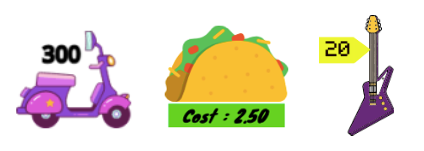
Add a script to change the total by the price of your item when the customer clicks on the sprite.
It's also a good idea to play a sound to give the customer feedback that they have added an item.

Test: Click on your item and check that the value of the total variable increases by the price of the item, and you hear the sound effect. Click more times to see the total go up.
Click the green flag to start your project and make sure that the total starts at 0.
Add more items to your shop.
You can either:
- Duplicate the first item and then add a new costume in the Paint editor
- Add a sprite and then drag the when flag clicked script from the first item to your new item
Add a price label to the costume or backdrop if you are using them.
Click on your new Item sprite in the Sprite list then click on the Code tab.
Change the amount the total changes by to the price of your new item.
Test: Click the green flag to start your project and click on items to add them. Check that the total increases by the correct amount each time you click on an item.
If you have added price labels, make sure they match the amount that gets added to the total, or your customers will be confused!
Debug: You might find some bugs in your project that you need to fix. Here are some common bugs.