 JuaraKu
Step 2 of 9
22%
Choose your theme
Open a new Scratch project and delete the cat sprite. Scratch will open in another browser tab.
Create a solid colour backdrop.
Choose: Will your character move from left to right, or bottom to top?
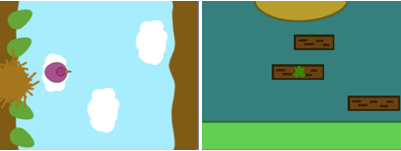
Paint a new Start platform sprite.
Start with a simple single coloured shape. You can turn the outline off by choosing the red diagonal line.
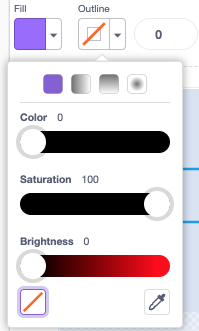
You can add more detail later.
Centre your costume in the Paint editor.
Position your Start platform sprite where you want your character to start the game.
Create a simple End platform sprite. You can add more detail later.
Centre your costume in the Paint editor.
Position your End sprite on the Stage where you want your character to finish the game.
Create a character sprite.
Choose: Do you want to add or paint a character sprite?
You might want to add a top-down character sprite such as Tatiana, Taylor, or Trisha.

Or, paint your own character sprite. Start with simple shapes and add details later. Centre your costume in the Paint editor.
Your character sprite needs a start script to get everything set up for the beginning of the game.
Make a variable called landed, and set it to the size your sprite should be when it has landed and is not jumping.
Get your character to go to the Start when flag clicked. Add a go to front layer block, so your character is on top of the platforms.
Character:
when flag clicked // setup
go to (Start v)
set [landed v] to [40] // size when not jumping
set size to (landed) % // not jumping
go to [front v] layer
show
broadcast (start v) // start other scripts
Tip: Uncheck the landed variable in the Variables Blocks menu so that it doesn't show on the Stage. The user doesn't need to see this variable.
Tip: It's a good idea to broadcast a start message at the end of your setup script to let other scripts know when to start, otherwise they might start before everything is ready.
Debug:
Give your project a title that describes your game.