 JuaraKu
Step 4 of 9
44%
Winner
You're going to add a forever loop that checks if your character is at platform level, and if so, if it has reached the End platform.
Choose: Add a winning sound to your character.
End the game when touching a coloured platform
Use a touching color block to detect when your character sprite reaches the End platform.
when I receive [start v]
forever
if <(size) = (landed)> then // not in the air
if <touching color (#b89d2f) ?> then // at end
broadcast (stop v) // stop other sprites
stop [other scripts in sprite v] // stop jumping after win
go to (End v)
play sound (Win v) until done
stop [all v]
end
end
end
The stop other scripts in sprite block stops the loop that makes the character jump.
A broadcast (stop v) message is used when your game is finished so that other sprites can stop, but this sprite can do something such as playing a sound before it stops.
Use the eyedropper to pick the colour of your End platform
<touching color (#20f73b) ?>
Click on the colour input to open the colour picker and then click on the eyedropper at the bottom.
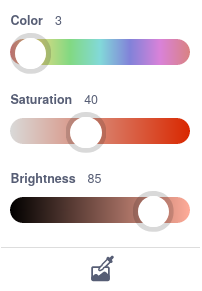
Move the mouse pointer over to the End platform on the Stage and click to select the colour.
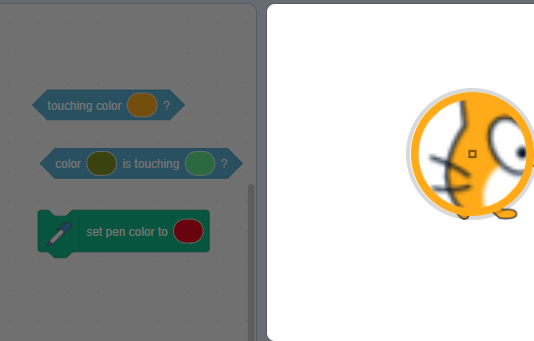
The colour in the block input will change to match the colour you chose. Click in the Code area to close the colour picker.
Test: Click the green flag and then jump your character across the Stage. Make sure you hear the winning sound when you reach the End platform.
Tip: It's really important that you test your project before moving to the next step and adding more code. It's harder to find and fix bugs when you have added more code.
Debug:
If you have a bug that we haven't covered here, then let us know in the feedback. If you fixed the bug yourself (well done!), let us know that too.
Tip: If you're stuck, try reading your code out loud or in your head to make sure it says what you think it does. You might find the bug.