 JuaraKu
Step 3 of 8
38%
Starter drum
Click Choose a Sprite and search cymbal.
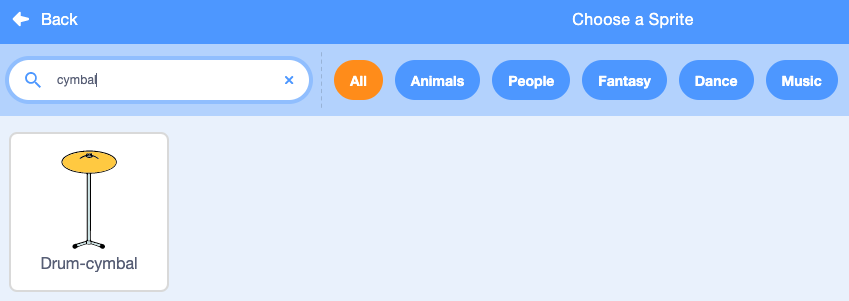
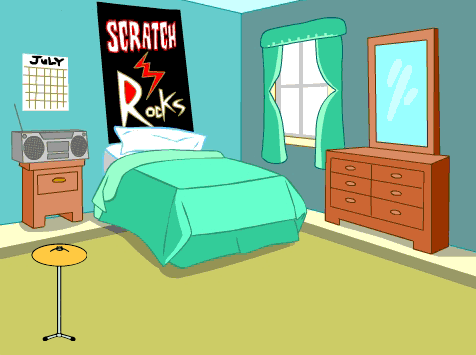
Add the Drum-cymbal sprite and position it on the Stage:
Add the Music extension:
Add a script to make the cymbal switch costume and play a drum sound:

when this sprite clicked
switch costume to [drum-cymbal-b v] // hit costume
play drum [(5) Open High-Hat v] for [0.25] beats // drum sound
switch costume to [drum-cymbal-a v]  // not hit costume
Test: Test your cymbal by clicking on it.
You should hear a sound and see the costume change.
The Drum-cymbal sprite will earn you one beat each time you click it.
Create a variable (for all sprites) called beats:

Add a block to change beats by 1 when the Drum-cymbal sprite is clicked:
when this sprite clicked
+change [beats v] by [1]
switch costume to [drum-cymbal-b v]
play drum [(5) Open High-Hat v] for [0.25] beats
switch costume to [drum-cymbal-a v]
Test: Test the Drum-cymbal by clicking on it.
You should see the beats increase.
The beats variable needs to start at 0 beats when you start a new game.
Click on the Stage pane and then the Code tab.
Add a block to set beats to 0:

when flag clicked
switch backdrop to (Bedroom 3 v)
set [name v] to [???]
+ set [beats v] to [0]
Test: Click the green flag and make sure your beats variable starts at 0.