 JuaraKu
Step 4 of 8
50%
Next drum
Add the Drum-snare sprite to your project and position it on the Stage:
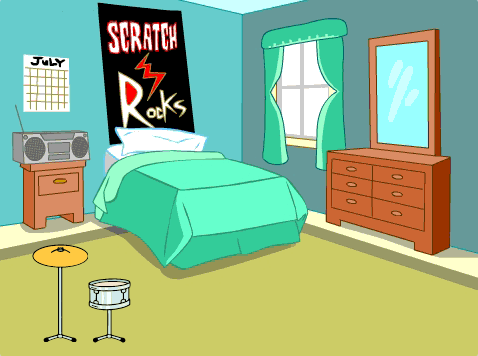
Drag the when this sprite clicked script from the Drum-cymbal sprite to the Drum-snare sprite.
Change the costume and the drum sound for the Drum-snare sprite.

when this sprite clicked
+switch costume to [drum-snare-b v] //hit costume
+play drum [(1) Snare Drum v] for [0.25] beats //drum sound
+switch costume to [drum-snare-a v] //not hit costume
Change the number of beats earned to 2:
when this sprite clicked
+change [beats v] by [2] //2 beats per click
switch costume to [drum-snare-b v] //hit costume
play drum [(1) Snare Drum v] for [0.25] beats //drum sound
switch costume to [drum-snare-a v] //not hit costume
Test: Try out your project.
You should you earn 2 beats when you click on the snare drum.
The next drum is not available when you start the project. It has to be earned with beats.
Add a script to the Drum-snare sprite to hide it at the start of the project:
when flag clicked
hide
Add a button to show which drum is the next and how many beats it will cost.
Duplicate the Get sprite:
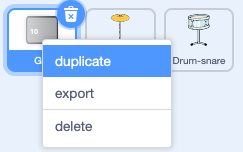
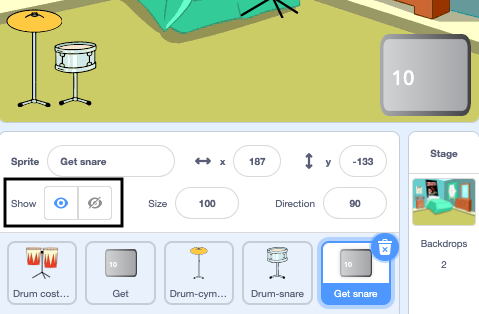
Change the visibility to Show.

Change its name to Get snare.
Position it in the bottom-right corner of the Stage:
Click on the Drum-snare sprite and go to the Costumes tab.
Use the Select (arrow) tool to highlight the 'not hit' costume of your drum. Click on the Group icon then the Copy icon:
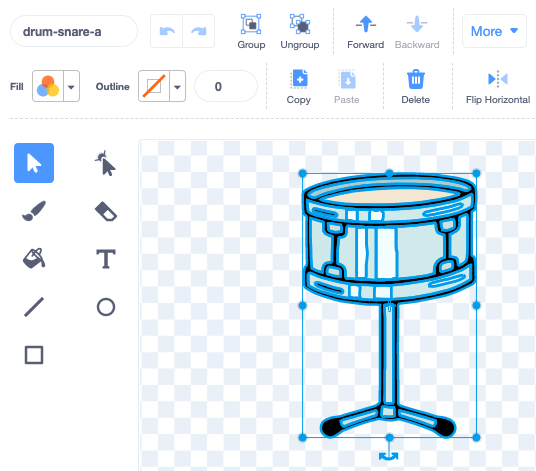
Click on your Get snare sprite and Paste the snare costume. You might need to resize and position it to fit your button:
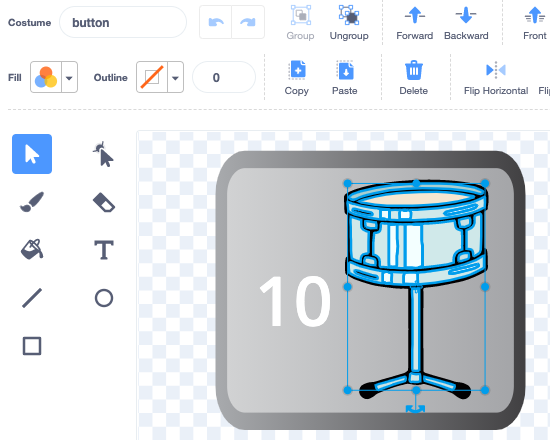
Click on the Code tab and add a script to show the Get snare sprite at the start of the project:

when flag clicked
show
The next drum can only be unlocked if the user has 10 or more beats.
Add this code to unlock the next drum if the player has enough beats, or say More beats needed! if they do not have enough:
when this sprite clicked
if <(beats)>  [9]> then //if 10 or more beats
hide
change [beats v] by [-10] //take away the cost of upgrade
else
say [More beats needed!] for [2] seconds
end
Add a broadcast block to send a new snare message:
when this sprite clicked
if <(beats)>  [9]> then // if 10 or more beats
hide
change [beats v] by [-10] // take away the cost of upgrade
+ broadcast (snare v) // your drum name
else
say [More beats needed!] for [2] seconds
end
Click on the Drum-snare sprite.
Add this script:
when I receive [snare v]
show
Test: Run your project.
You should not be able to unlock the next drum before you have enough beats.
When you unlock new drums, you can play at bigger venues!
Add another backdrop. We chose Chalkboard to play our second gig at school.
Tip: Choose a venue that's a small step up from a bedroom. You want to save bigger venues for later!
Click on the Stage.

Add code to the Stage to switch backdrop when the upgrade message is received:
when I receive [snare v]
switch backdrop to [Chalkboard v]
Test: Run your project.
When you unlock the next drum: the snare should appear, the button disappears, the venue changes and the beats go down by 10.