 JuaraKu
Step 3 of 9
33%
The Scratch Cat catches the bus
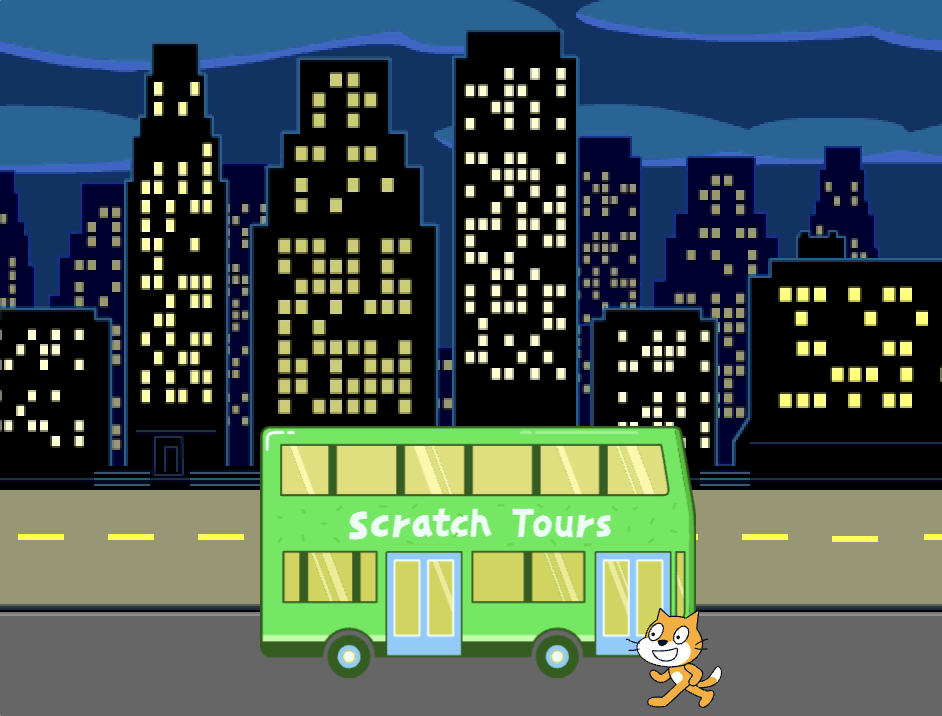
Get the Scratch Cat into their starting position
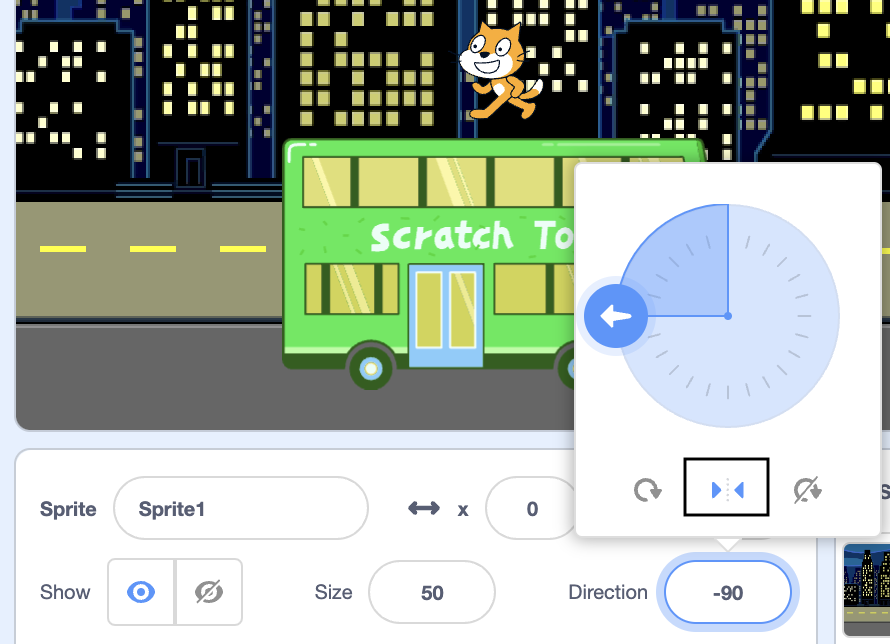
Click in the Direction property in the Sprite pane. Rotate the arrow to point to -90. Then, click on the Left/Right icon in the middle to change the rotation style to left-right to stop the Scratch Cat turning upside down:
Drag the Scratch Cat to the bottom right-hand side of the Stage.
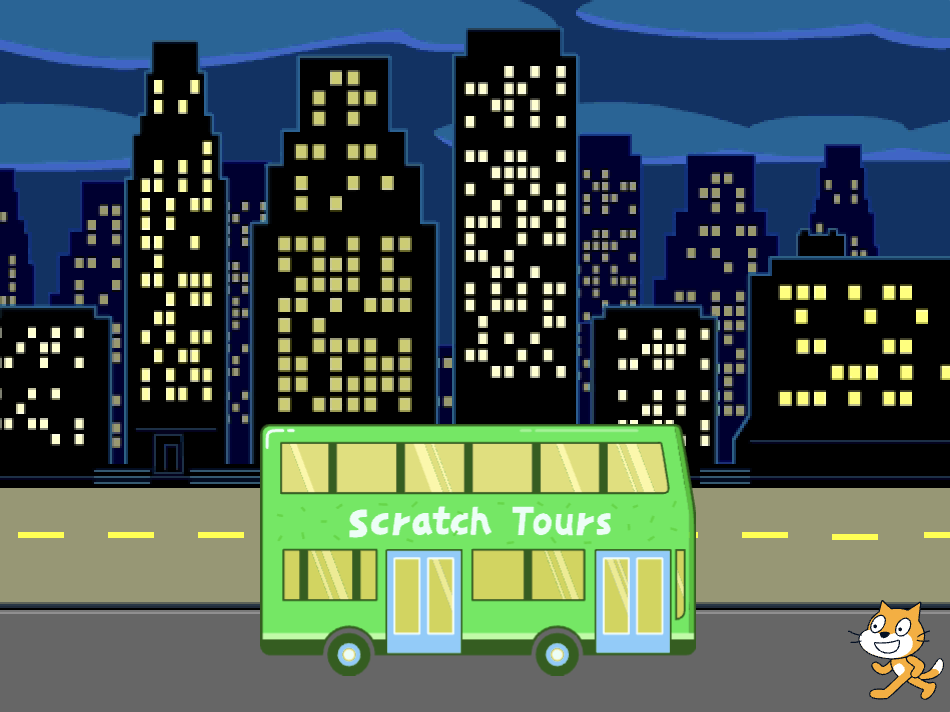
Tip: If you try to position a sprite off the Stage, it will move back to its last position on the Stage.
Add code to get the Scratch Cat to their starting position:

when flag clicked
go to x:(200) y:(-150) // bottom right-hand side
Test: Drag the Scratch Cat to a new position, then click on your go to x: y: block. The Scratch Cat should move back to the bottom right-hand side each time.
Animate the Scratch Cat
You will add code in a repeat loop to make the Scratch Cat repeat a small number of steps many times. This will make the Scratch Cat appear animated.
Add a repeat 10 block, then drag a move 10 steps block inside it:
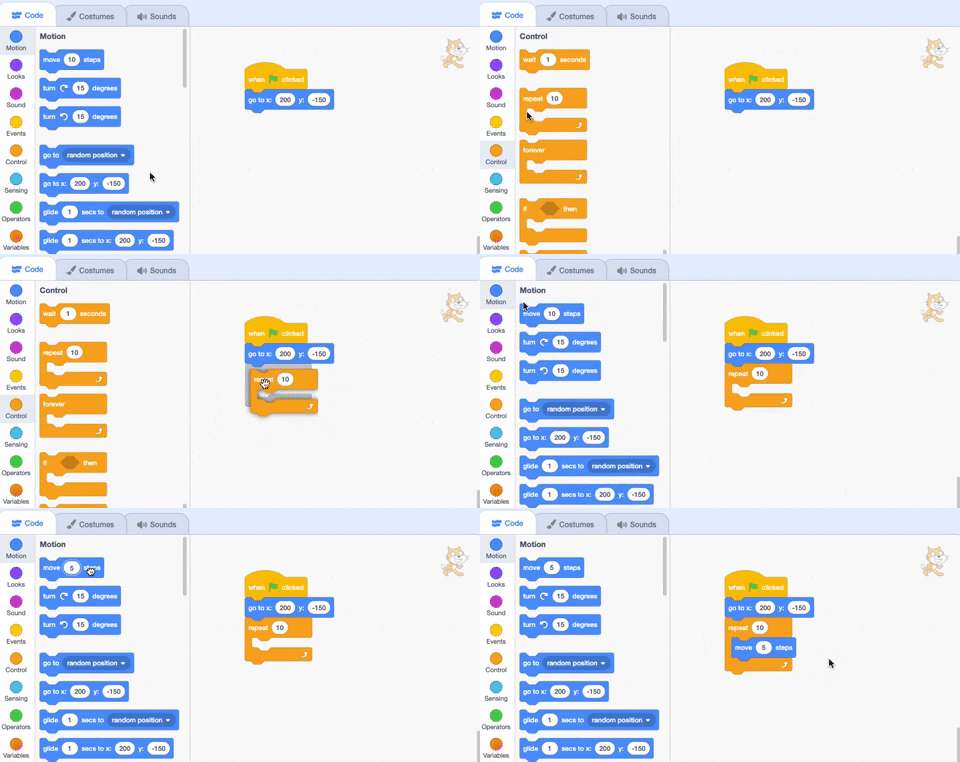
when flag clicked
go to x:(200) y:(-150) // bottom right-hand side
+ repeat (10) // try different numbers
move (5) steps //  5 is a good walking speed
end
Test: Click on the green flag. Try changing the numbers in the repeat 10 block so that the Scratch Cat stops at the bus.
Some sprites have more than one costume. You will use the Scratch Cat sprite's costumes to create an animation of the Scratch Cat walking.
Click on the Costumes tab. The Scratch Cat sprite has two costumes, and together, they can be used to make a walking movement.
Click on the Code tab. Add a next costume block inside the repeat block:
when flag clicked
go to x:(200) y:(-150) // bottom right-hand side
repeat (20) // try different numbers
move (5) steps //  5 is a good walking speed
+ next costume
end
Test: Click on the green flag, and the Scratch Cat will walk to the bus.
Hide the Scratch Cat
Add a block to hide the Scratch Cat when they reach the bus:
when flag clicked
go to x:(200) y:(-150) // bottom right-hand side
repeat (20) // try different numbers
move (5) steps //  5 is a good walking speed
next costume
end
+ hide
Test: Click on the green flag again, and you will see that the Scratch Cat has now disappeared.
Show the Scratch Cat
Add a show block so that the Scratch Cat appears before they walk to the bus:
when flag clicked
go to x:(200) y:(-150) // bottom right-hand side
+ show
repeat (20) // try different numbers
move (5) steps //  5 is a good walking speed
next costume
end
hide
Tip: When you use a hide block, you need to also add a show block to make sure that a sprite is visible when it needs to be.
Test: Click on the green flag to test your project, and make sure that the Scratch Cat appears.