 JuaraKu
Step 3 of 8
38%
A fly to eat
There's a fly in the Frog 2 sprite that you can use.
Add the Frog 2 sprite to your project. Rename the sprite to Insect:
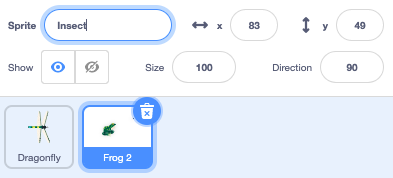
You only need the fly, not the frog.
Click on the Costumes tab. Click on the fly to select it and click on the Copy icon.
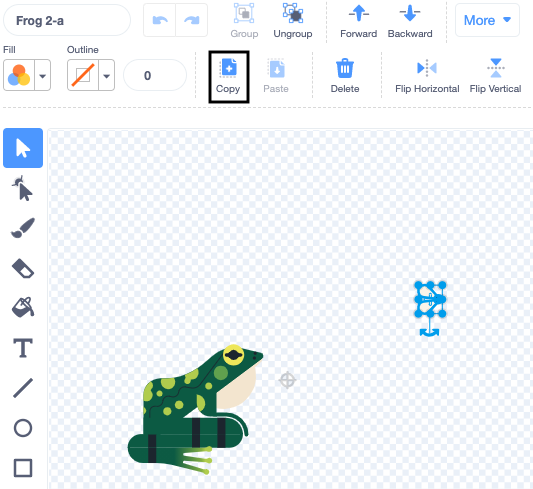
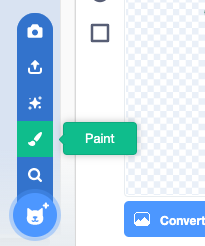
Add a new costume to the sprite using the Paint option:
Click on the Paste icon to paste the sprite into the new costume. Drag the fly to the centre so it lines up with the crosshair.
Rename your costume Insect and delete the other costumes, as you won't need those:
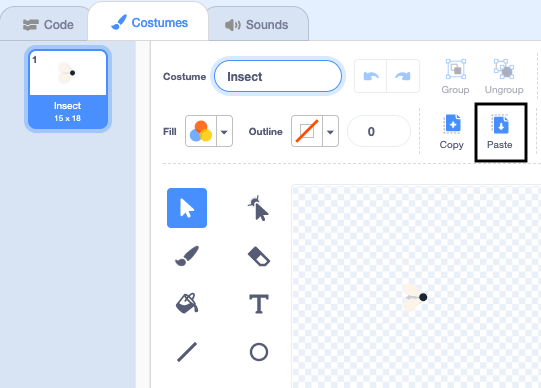
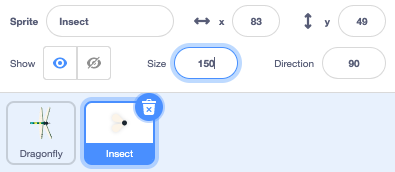
Increase the size of the fly so that it's easier to see and catch:
Click on the Code tab and add a script to make the Insect sprite bounce around:

when flag clicked
forever
move [3] steps
if on edge, bounce
end
The if on edge, bounce block checks to see if the sprite has reached the edge of the Stage and points the sprite in a different direction if it has.
You want the Insect sprite to hide if it gets eaten by the Dragonfly sprite.
Add an if block to the Insect sprite's movement script:
when flag clicked
forever
move [3] steps
if on edge, bounce
+if < > then
end
The if has a hexagon-shaped input. This means you can put a condition here.
When the if block runs, Scratch will check the condition. If the condition is 'true' then the code inside the if block will run.
You want the insect to hide if it is touching the Dragonfly sprite.
Drag a touching [Dragonfly v] into the if block. Add a hide block inside the if block.
when flag clicked
forever
move [3] steps
if on edge, bounce
+if <touching [Dragonfly v] ?> then // change from 'mouse-pointer'
+hide // eaten
end
Test: Test your code and control the dragonfly to eat the fly. The fly should disappear.
The dragonfly won't get very big if it can only eat one fly!
Add blocks to make the hidden insect sprite go to a random position on the Stage, wait for one second then show:
when flag clicked
+show // show at the start
forever
move [3] steps
if on edge, bounce
if <touching [Dragonfly v] ?> then
hide
+go to (random position v)
+wait [1] seconds
+show // to look like a new fly
end
end
Test: Test that your dragonfly can now eat lots of flies.
Make sure you have added the show block at the start.
Tip: You can click the red Stop button above the Stage if you want the dragonfly to be quiet while you add more code.