 JuaraKu
Step 4 of 9
44%
Parrot distraction
To make it harder for players to find and click on the bug, you will add an annoying parrot to distract them.
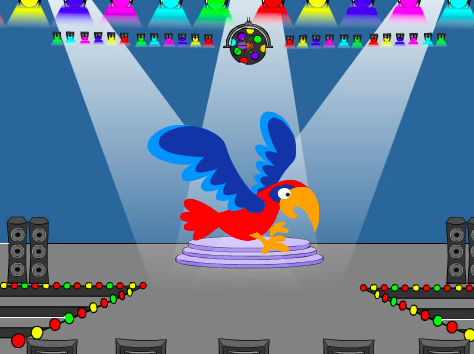
Add the Parrot sprite
Add the Parrot sprite.

Animate the Parrot sprite
In the Catch the bus project, you used a repeat loop.
You will use a different loop here. A forever loop runs the code blocks inside it again and again. It is the perfect loop for an annoying parrot that will not stop flying around and getting in the way.
Add code to make the parrot flap around in a distracting way. Look at the comments on the code blocks for some different numbers to try:

when flag clicked
set rotation style [left-right v] // do not go upside down
point in direction [35] // number from -180 to 180
forever // keep being annoying
move [10] steps // the number controls the speed
if on edge, bounce // stay on the Stage
next costume // flap
change [color v] effect by [5] // try 11 or 50
wait [0.25] seconds // try 0.1 or 0.5
end
Test: Click on the green flag and test your project again. Can you remember where you hid the bug?
In Scratch, code that is running glows with a yellow outline:
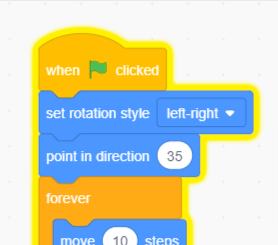
Tip: If the parrot gets too annoying while you are coding, you can click the red stop button above the Stage to stop the code from running.